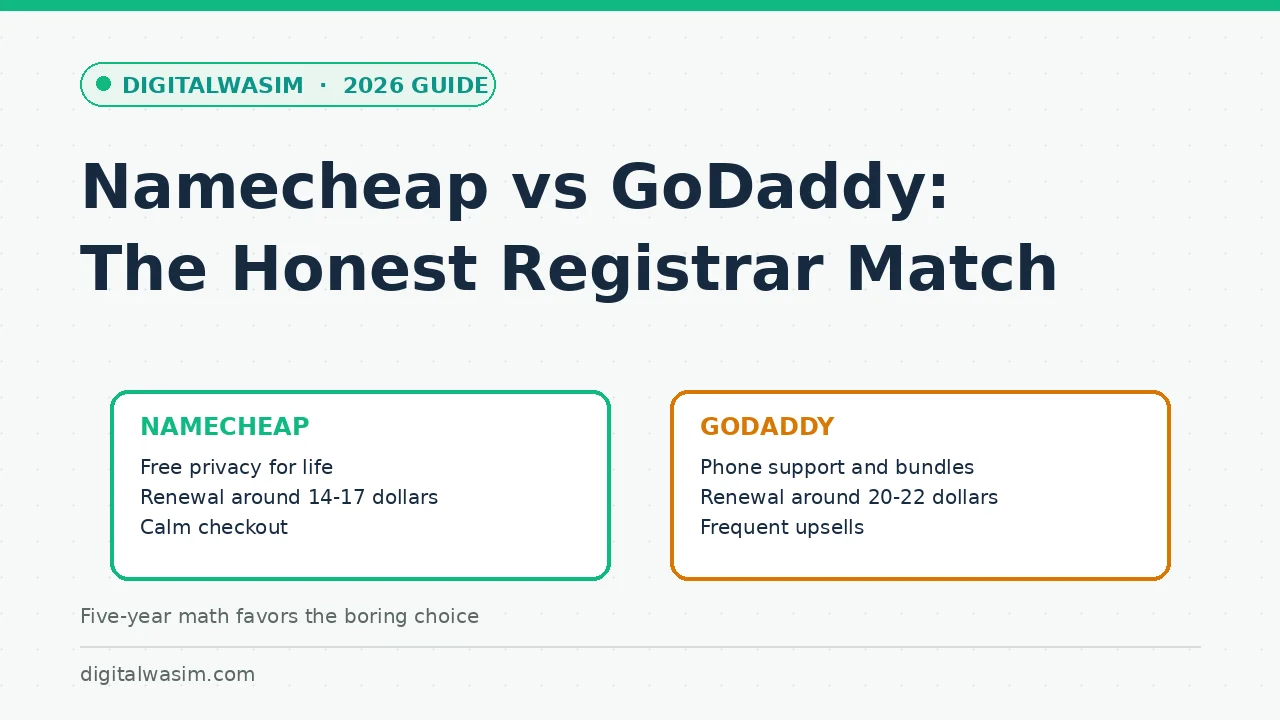
Every domain comparison eventually turns into a pricing table, and that is exactly how registrars win arguments they should lose. The sticker price tells you almost nothing, because a domain is not a one-time purchase. It is a subscription you will renew for a decade, transfer under deadline pressure at least once, and manage through checkout flows designed by each company's revenue team. Those are the surfaces where Namecheap and GoDaddy genuinely differ.
This Namecheap vs GoDaddy comparison scores both on the four surfaces that decide long-term satisfaction: renewal pricing, WHOIS privacy, transfer mechanics, and checkout behavior. We finish with five-year cost math for one domain and for a small portfolio, plus the specific buyer profiles where GoDaddy remains the right call despite everything else in this article.
Quick answer:Two Registrars, Two Business Models
domain pricing pageWhy does this choice matter more than people expect? Because a registrar is the single point of failure for everything else you build. Hosting can be replaced in an afternoon, but losing control of a domain can kill rankings, email, and brand equity at once. Choosing a registrar with clear pricing and calm renewals is not a cosmetic preference. It is risk management for the one asset you cannot afford to fumble.
Mechanically, a registrar does five jobs: it records your ownership in the registry, runs DNS or lets you point records elsewhere, enforces the transfer rules, publishes or hides your WHOIS contact data, and bills you annually. Every difference between Namecheap and GoDaddy lives inside those five jobs. Neither offers a technically better .com; the registry emits identical domains through either. What differs is how each company packages the jobs, how it prices the renewals, and how it behaves when you interact with the interface, which is why this comparison reads like a service review instead of a spec sheet.
The Comparison Table That Decides It
Here is the head-to-head on the numbers that decide the relationship. Renewal prices shift as registries raise wholesale rates, so treat these as current ballparks and always confirm the renewal column at checkout before buying anything from either company.
| Factor | Namecheap | GoDaddy |
|---|---|---|
| .com first year | About 6-9 dollars, promos lower | 0.99-2.99 dollars with promos |
| .com renewal | About 14-17 dollars | About 20-22 dollars |
| WHOIS privacy | Free for life, on by default | Paid add-on historically; verify cart total |
| Checkout style | Plain, few add-ons | Frequent upsells stacked in cart |
| Support | 24/7 chat, strong reputation | Phone and chat, sales-flavored |
| Transfer away | Unlock, auth code, standard ICANN flow | Same flow, plus sixty-day lock applies |
Reading the cart is a skill worth forty seconds per purchase. On either site, add the domain, then deliberately look for three things: the renewal price printed near the total, any pre-checked addons such as email or protection bundles, and the term selector defaulting to two years. Uncheck what you did not choose, set the term to one year until you trust the registrar, and screenshot the final total. The screenshot matters more than it sounds, because renewal disputes and price-jump surprises become one-minute conversations with support when you can show exactly what was promised at purchase.
Five-Year Cost Math, One Domain and Ten
Five-year math makes the abstract concrete. One .com at Namecheap renewing around 15 dollars averages about 75 dollars over five years including the first year. The same domain at GoDaddy renewing around 21 dollars runs about 105 dollars, even after the cheap first year. Thirty dollars is not a fortune, but it buys a decade of privacy elsewhere or a year of better hosting, and the gap repeats every five years you hold the name.
Scale multiplies the story. A blogger running ten domains saves roughly 60 dollars a year at Namecheap's typical renewal spread, which is a real hosting upgrade or a quarter of a good SEO tool subscription. Portfolio thinking also changes how renewals feel: Namecheap's flat, predictable pricing makes annual budgeting boring, while teaser-then-sticker pricing makes every renewal a negotiation with yourself.
The math changes shape for other TLDs but rarely reverses. Country codes like .in and newer endings price differently at each registrar, and sale prices move monthly, so the only durable comparison habit is checking the renewal column, not the headline banner, for every extension you actually plan to hold. Whatever the TLD, write the renewal figure into a renewal note when you buy, because in twelve months you will not remember the checkout details and the invoice will not explain them either.
DNS, Email, and the Features That Add Up Daily
Beyond price, the day-to-day features decide whether managing domains feels like work or admin boredom, and here Namecheap's basics quietly win. Free DNS with reasonable record limits, DNSSEC support on eligible domains, email forwarding, and a bulk-edit interface that behaves the same whether you manage three domains or thirty. GoDaddy's dashboard covers the same functions and adds premium DNS tiers, but the interface mixes promotional messages into management screens more aggressively, and useful features like advanced DNS live behind upsell nudges rather than being plainly offered.
Email is the classic bundle trap in this comparison. Both sell mailboxes, and both are fine products, but tying your email hosting to the same account as your domain means a billing lapse in one place can take down both. The calmer pattern for a small site: keep the domain at the registrar with clean pricing, run email through a dedicated provider, and point records at it. That way a promotion change, a price hike, or an upsell decision at the registrar never touches your inbox.
Transfers: The Process Under Deadline Pressure
ICANN transfer policyNamecheap's transfer screens show the auth-code flow plainly and its support chat handles stalled transfers quickly. GoDaddy's flow works too, but the interface mixes promotional messages into the management screens, which costs you attention at the exact moment you need to focus on unlock-status and expiry dates. Moving a domain is not hard; the registrar's job is to not make it harder, and that is where the calm interface earns its keep.
- Confirm the domain is unlocked and the admin email on record is one you check.
- Request the authorization code from the current registrar and note the expiry date.
- Start the transfer at the new registrar, approve the confirmation email, then wait five to seven days.
- Re-enter DNS records at the new registrar before cancelling anything, so nothing goes dark mid-move.
Timing transfers well saves money and stress together. Moving a domain shortly before renewal lets the transfer's included year replace the renewal, effectively transferring at the price of the transfer fee. Moving immediately after a renewal wastes almost a year of paid registration, because the sixty-day ICANN lock also applies after ownership changes. Check both the expiry date and recent changes before you initiate anything, and if the lock window is active, calendar the earliest legal transfer date instead of discovering it through an error message.
When GoDaddy Is Still the Right Call
Fairness requires the GoDaddy case, because it exists. If you want phone support for a non-technical family business, GoDaddy's call line is genuinely useful. If you are consolidating domains, email, certificates, and a website builder under one roof to hand off to a non-technical partner, one-vendor bundling has real administrative value. And enterprise customers negotiating portfolio discounts live in a different world than the sticker prices in this article.
guide to starting a profitable niche website blog hosting selection guideSecurity controls deserve a final note because they are the features you hope to never use. Both registrars offer two-factor authentication and registrar locks that block unauthorized transfers, and you should turn both on the day the domain arrives. The difference shows in defaults and clarity: Namecheap ships domain locking on and explains the toggle in plain language, while GoDaddy's security options exist but sit among more commercial upsells. Either way, an hour spent enabling locks, 2FA, and auto-renew converts your domain from a hijackable asset into a boring, protected one, which is exactly what infrastructure should be.
best blogging platforms comparison blogging mistakes that kill rankings