FlynCache Purge is a free, open-source WordPress plugin that automatically detects every cache layer on your server — Nginx FastCGI cache, Redis object cache, LiteSpeed, Cloudflare, and custom CDNs — and purges them intelligently from one unified dashboard. This page is the complete official documentation: features, installation, per-cache configuration, WP-CLI commands, and answers to the most common questions.

What is FlynCache Purge?
Modern WordPress sites rarely rely on a single cache. A typical stack caches pages at the Nginx level with FastCGI cache, stores objects in Redis, and sits behind a CDN such as Cloudflare or BunnyCDN. Each of those layers has its own purge mechanism, its own API, and its own failure modes. When you publish a post and the change does not appear, you end up manually clearing three or four different tools — and usually missing one.
FlynCache Purge solves this by unifying cache invalidation. On activation it scans your server, identifies which cache systems are actually running, reads your Nginx configuration to locate cache directories, and presents everything in a single admin screen. From that screen you can purge all layers at once, purge specific URLs, or — the recommended approach — enable auto-purge so the right caches are cleared automatically whenever your content changes.
The plugin is built to be lightweight and safe: admin components only load on the plugin's own settings page, there is zero frontend impact, and every destructive action (like flushing Redis or purging a Cloudflare zone) is protected behind explicit controls. It is compatible with Webinoly, EasyEngine, ServerPilot and custom server stacks.
Key features
- Auto server detection — detects Nginx, Apache, LiteSpeed and OpenLiteSpeed, plus every cache system that is active on the machine.
- Auto cache path detection — scans for Nginx FastCGI cache directories and reads configuration files to find the exact paths Webinoly, EasyEngine, ServerPilot and custom setups use.
- Nginx FastCGI cache purge — purges cache by file removal, supporting multiple directory structures out of the box.
- Redis object cache purge — connects through the phpredis extension for a full database flush or selective key deletion.
- LiteSpeed cache purge — integrates with the LSCache plugin API, LiteSpeed purge headers and filesystem-based clearing.
- Cloudflare purge — Cloudflare API v4 integration with full-zone purge and URL purge in chunks of 30.
- Custom CDN support — works with BunnyCDN, KeyCDN, StackPath, Fastly, Sucuri, CloudFront and any CDN with an HTTP purge API.
- Smart auto-purge — clears relevant caches when posts are published, updated or deleted, when comments arrive, when themes, plugins, widgets or menus change, and more.
- Related URL purge — when a post changes, the plugin also purges its category, tag, author, archive, feed and date pages.
- Manual purge — one-click "purge everything", or purge only the URLs you paste in.
- Recommended settings — analyses your stack and suggests the optimal configuration with one-click apply.
- Connection testing — built-in test buttons for Redis and Cloudflare so you can verify credentials before relying on them.
- Export / import settings — back up your configuration as JSON and restore it on another server.
- WP-CLI support — purge, check status and re-detect the server from the command line.
- Admin toolbar quick purge — a one-click purge button in the WordPress admin bar.
- WooCommerce auto-purge — keeps product, shop, cart and checkout pages fresh through stock, price, coupon and order changes.
Supported cache types
| Cache layer | How it is purged | Notes |
|---|---|---|
| Nginx FastCGI Cache | File-based removal from the cache zone directory | Auto-detects Webinoly, EasyEngine, ServerPilot and custom paths |
| Redis Object Cache | phpredis connection — full flush or selective keys | Supports host/port, Unix socket, authentication and DB index |
| LiteSpeed Cache | LSCWP API, purge headers, filesystem clearing | Server-level cache plus LiteSpeed Cache plugin integration |
| Cloudflare | Cloudflare API v4 purge | Full zone or per-URL (30 URLs per request chunk) |
| Custom CDN | HTTP purge API | BunnyCDN, KeyCDN, StackPath, Fastly, Sucuri, CloudFront, etc. |
Installation
- In wp-admin go to Plugins → Add New and search for FlynCache Purge, then click Install Now and Activate. (Manual install: upload the plugin folder to /wp-content/plugins/.)
- Go to Settings → FlynCache Purge. The dashboard opens and the plugin immediately starts detecting your server software, PHP SAPI, operating system and object cache status.
- Review the Detected Cache Systems cards. Anything marked ACTIVE can be enabled for purging.
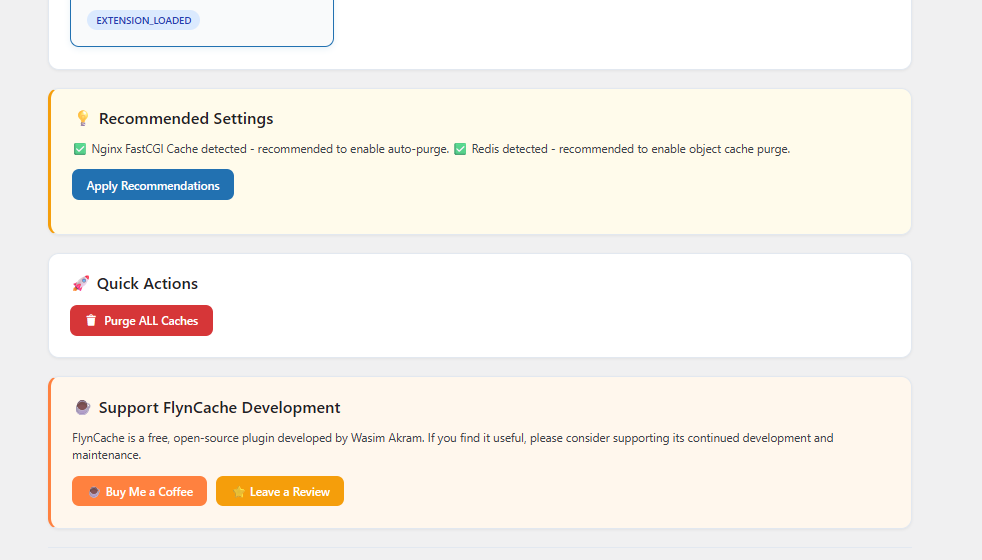
- Open the Recommended Settings notice and click Apply Recommendations if you want the suggested configuration in one step.
- Enable auto-purge on the Auto Purge tab. From this moment cache maintenance is automatic — publish or update a post to see it in action.
That is the entire setup for most servers. The sections below explain each cache layer in detail for administrators who want full control.
Server & cache auto-detection
The first thing FlynCache Purge does after activation is profile your environment. The dashboard reports the server software (Nginx, Apache, LiteSpeed, OpenLiteSpeed), the PHP SAPI (for example fpm-fcgi), the operating system, and whether a persistent WordPress object cache is present. It then lists every cache system it can manage, marking the ones it actually found as ACTIVE.
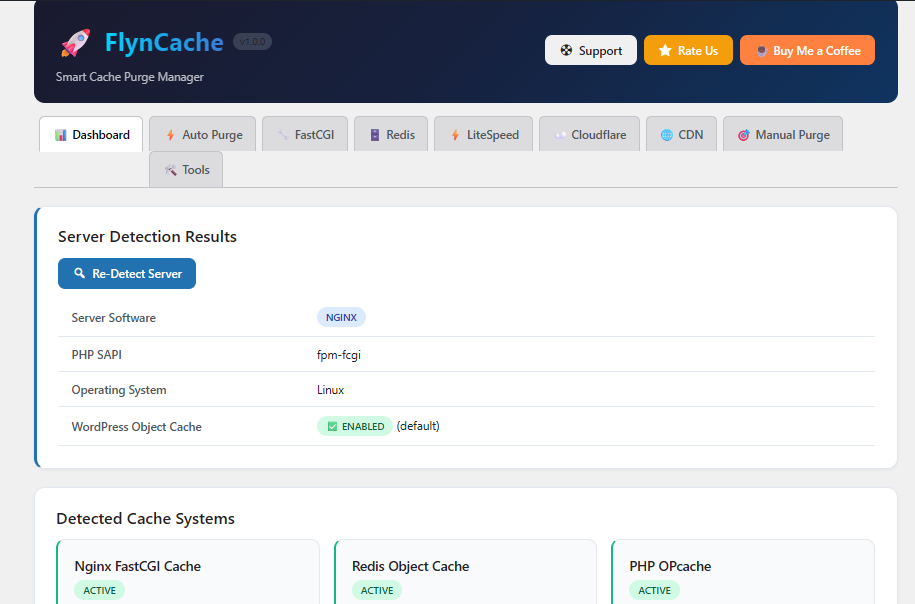
Detection is not a one-time event. If you migrate the site or change hosting, click Re-Detect Server on the dashboard and the plugin re-scans everything. This makes the plugin safe to move between staging and production environments where cache layers differ.
Configuring each cache layer
Nginx FastCGI cache
The FastCGI tab handles file-based Nginx cache. FlynCache Purge scans the common cache locations used by Webinoly, EasyEngine and ServerPilot, and can read your Nginx configuration files to discover custom fastcgi_cache_path zones. If nothing is detected automatically you can paste the directory path manually. Purging removes cached files directly from disk, which means the very next request rebuilds the page — no Nginx reload required.
Redis object cache
On the Redis tab you choose between TCP (host + port) and Unix socket connections, set authentication credentials and the database index. The plugin uses the phpredis extension when it is installed. You can flush the whole Redis database or delete only keys matching a pattern. Use the built-in Test Connection button to verify credentials before enabling auto-purge.
LiteSpeed cache
For LiteSpeed servers the plugin can talk to the LiteSpeed Cache plugin (LSCache) through its API, send proper X-LiteSpeed-Purge headers, and fall back to filesystem-based cache clearing. This covers both server-level cache and plugin-level cache in one switch.
Cloudflare
Create an API token in your Cloudflare dashboard with Zone → Cache Purge permission, paste the token and your Zone ID into the Cloudflare tab, and use Test Connection to verify. You can then purge the entire zone or list specific URLs — the plugin automatically chunks requests into groups of 30 URLs, which matches Cloudflare's per-request limit.
Custom CDN
Any CDN with an HTTP purge API can be wired in: enter the purge endpoint, HTTP method and authentication header. BunnyCDN, KeyCDN, StackPath, Fastly, Sucuri and CloudFront all work this way. This is the same integration, for example, that keeps BunnyCDN edge caches fresh on high-traffic sites.
Smart auto-purge events
Manual purging is a chore — the real value of FlynCache Purge is that you enable it once and forget about cache. The Auto Purge tab lets you hook cache invalidation to every event that can make content stale:
- Post published, updated or deleted
- Comment added, approved, or held for moderation
- Theme switched
- Plugin activated or deactivated
- Widget updated
- Customizer settings saved
- Navigation menu changed
When a post is updated, the plugin does not just purge that single URL. It also purges the related URLs that display the content: category archives, tag archives, author pages, date archives and RSS feeds. This is what prevents the classic problem where a post is updated but the category page still shows the old excerpt for hours.
New in v1.1.0 — WP-CLI, admin toolbar purge and WooCommerce
WP-CLI commands
Version 1.1.0 brings full command-line control. If you manage servers over SSH — or run cron jobs that need to trigger cache clearing — you no longer need to open wp-admin:
| Command | What it does |
|---|---|
| wp flyncache purge-all | Purges every enabled cache layer |
| wp flyncache purge-url <url> | Purges cache for one specific URL |
| wp flyncache status | Shows which cache layers are enabled and reachable |
| wp flyncache detect | Re-runs server and cache detection from the CLI |
Admin toolbar quick purge
A Purge Cache button now lives in the WordPress admin toolbar. From any admin page — or while browsing the site logged in — one click clears all enabled caches instantly. It is permission-controlled so only users who can manage the plugin see it, and it is ideal right after editing a page and wanting to verify the result on the frontend.
WooCommerce auto-purge
WooCommerce stores get a dedicated integration. FlynCache Purge watches WooCommerce-specific events and automatically purges the affected commercial pages: product pages when a product changes, the shop page when the catalogue changes, and the cart and checkout pages when WooCommerce filters them. It reacts to product updates, stock changes, price changes, coupon updates and order status changes — the events that traditionally left stale prices or wrong stock badges visible to shoppers.
Manual & URL-specific purge
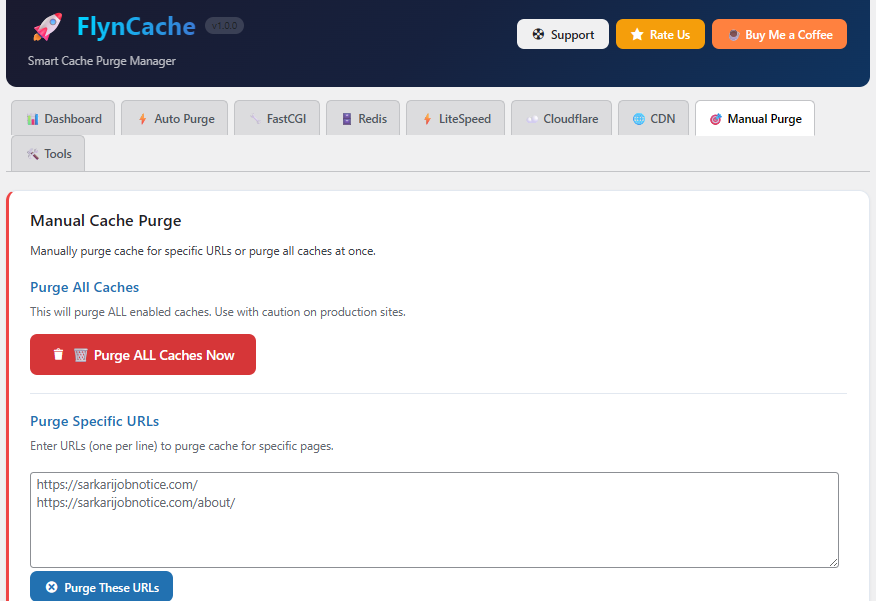
Sometimes you need precise control. The Manual Purge tab has two tools: Purge ALL Caches Now, which flushes every enabled layer at once, and Purge Specific URLs, where you paste one URL per line and purge only those pages across every enabled cache. This is the fastest way to refresh a landing page or a set of campaign URLs without touching the rest of the site.
Tools: export, import, reset
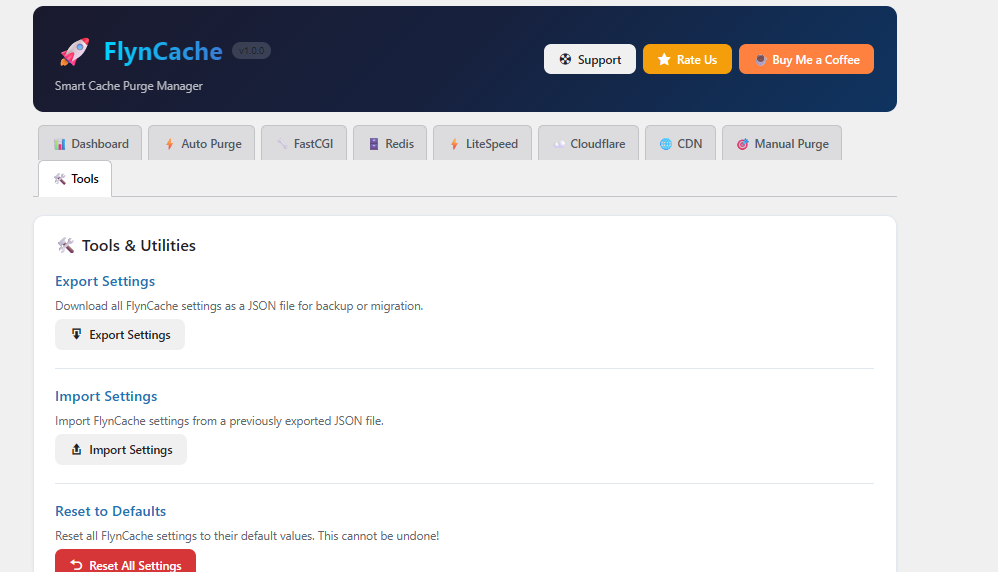
The Tools tab keeps your configuration portable. Export Settings downloads every FlynCache Purge option as a JSON file — perfect for backing up before a server migration. Import Settings restores a previously exported file, and Reset to Defaults wipes the configuration back to a clean state (with a confirmation, because it cannot be undone).
Recommended settings
After detection the plugin does not just report what it found — it tells you what to do about it. If Nginx FastCGI cache is detected, it recommends enabling auto-purge; if Redis is present, it recommends enabling object-cache purge; if OPcache is loaded it flags that too. One click on Apply Recommendations configures the whole stack sensibly, and the Quick Actions card gives you an immediate Purge ALL Caches button for testing.
Frequently asked questions
Which cache types are supported?
Nginx FastCGI Cache, Redis object cache (via phpredis), LiteSpeed (server level and LSCache plugin), Cloudflare, and any custom CDN with an HTTP purge API.
Does the plugin auto-detect my server?
Yes. It detects the web server type, scans for cache directories, reads Nginx configuration to find cache paths, checks Redis connectivity and identifies active cache plugins. Webinoly and EasyEngine layouts are recognised automatically.
Is FlynCache Purge lightweight?
Yes. Admin components load only on the plugin's own page, the frontend impact is zero, and auto-purge runs on native WordPress hooks.
Can I purge cache for specific URLs?
Yes — the Manual Purge tab accepts one URL per line, and the plugin purges exactly those pages across all enabled caches.
How does auto-purge work?
Publish, update or delete content — or change themes, plugins, widgets or menus — and the plugin purges the affected URLs plus their related archives and feeds automatically.
Does it work with Cloudflare?
Yes. Provide an API token with Cache Purge permission and your Zone ID. Both full-zone purge and selective URL purge (30 URLs per request) are supported.
Can I use it alongside the Redis Object Cache plugin?
Yes. FlynCache Purge connects to Redis directly through phpredis and coexists with Redis object-cache dropins.
How do I purge from the command line?
Use wp flyncache purge-all, wp flyncache purge-url <url>, wp flyncache status or wp flyncache detect (requires WP-CLI and plugin v1.1.0+).
Does it support WooCommerce?
Yes, since v1.1.0 product, shop, cart and checkout caches are purged automatically on product, stock, price, coupon and order changes.
Download & links
- Download: FlynCache Purge on WordPress.org
- Support: FlynCache Purge Support & Troubleshooting
- Author: Wasim Akram — digitalwasim.com
- Support development: Buy Me a Coffee
FlynCache Purge is GPLv2-or-later licensed open source. If it saves you time, a review on WordPress.org genuinely helps other site builders find it.