Search for a content calendar template and you will find pastel spreadsheets with twenty tabs, mood boards, and color-coded personas. They look impressive for about eleven days, which is roughly how long most of them survive. The problem is not discipline. The problem is that bloated templates plan the wrong thing: they schedule content instead of scheduling decisions, and decisions are what actually produce posts.
This guide gives you the minimal calendar that real working bloggers keep alive: seven columns, a weekly slot rotation, a batching workflow that respects your energy, and honest notes on the three failure modes that kill planning systems. By the end you will have a template you can set up in twenty minutes tonight and still be using in month six.
Quick answer:Why Most Content Calendars Die in Week Three
helpful content documentationThe second job of the calendar is honest capacity planning. Writing happens in odd hours between life, and a plan that assumes infinite Monday motivation collapses the first busy week. Seven columns and a slot rotation work because they make the plan small enough to survive contact with your actual schedule, and small plans that survive beat grand plans that do not, every single quarter.
The Seven Columns That Carry the Whole Template
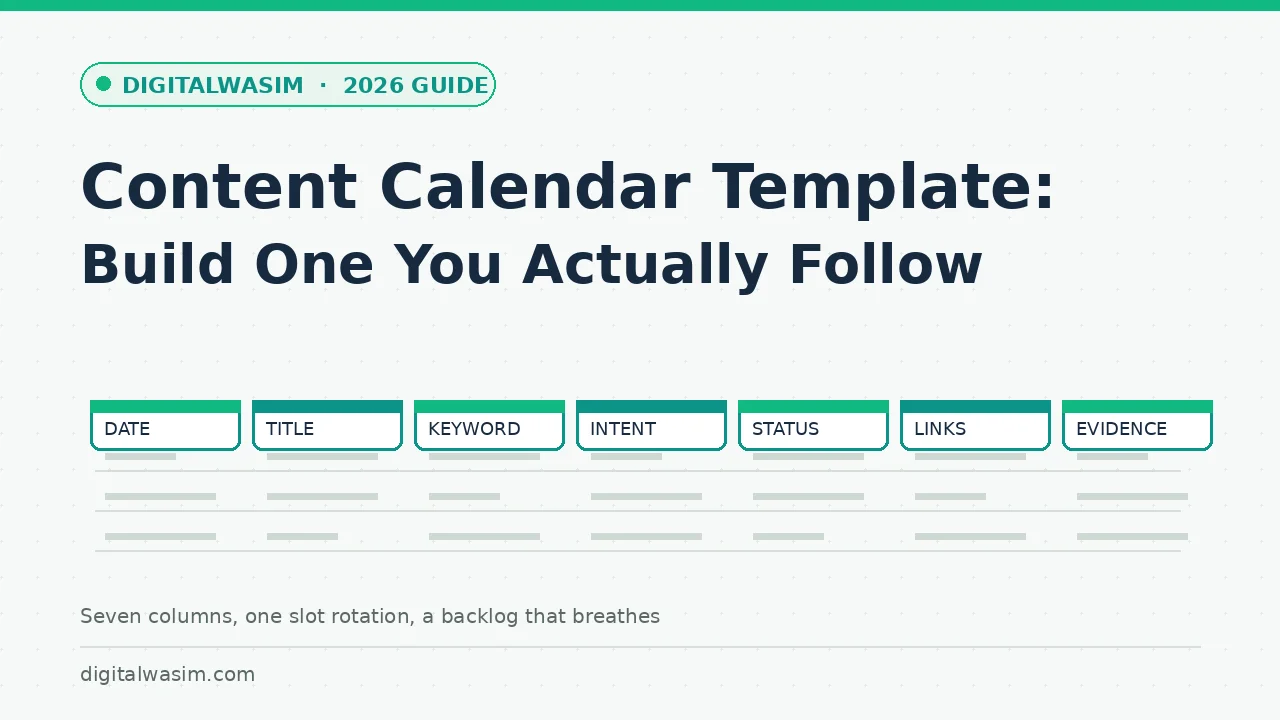
Here are the seven columns with the rules that make each one useful. Copy them into any spreadsheet and you have the whole template; everything else in this article explains how to run it.
| Column | What goes in it | The rule that keeps it honest |
|---|---|---|
| Date | Target publish date | Only committed slots; ideas live in the backlog tab |
| Title | Working headline | Good enough to draft from; perfect later |
| Primary keyword | One query per row | If you cannot name it, it is not ready to schedule |
| Intent | Info, comparison, how-to | Decides format before the outline exists |
| Status | Idea, researching, drafting, editing, scheduled | Plain words; no color codes as system |
| Internal links | 2-4 existing posts to link from and to | Forces topical clustering while drafting |
| Evidence | Link to the source for key facts | No evidence link means claims stay soft |
Slots Beat Dates: The Weekly Rotation
Slots beat dates for solo bloggers. Instead of promising a post every Tuesday, promise the Tuesday slot and fill it from your prioritized backlog every week. When research for one topic stalls, the slot still fills with the next-ready item, and the calendar keeps breathing. This one mental shift is the difference between calendars that die in week three and calendars that run for years.
Cadence math keeps the slots honest about capacity. One post per week means roughly forty hours of researching, drafting, and editing spread across a month, which fits a side-project schedule. Two per week doubles that and demands batching to stay sane. Daily publishing, which some aggressive plans suggest, only works with a buffer bank built in advance and a lightweight editing pass. Choose the cadence by counting your real available hours for one honest week, then subtract twenty percent for life, because the calendar that assumes your best week every week is the calendar that breaks first.
- Monday: pick the week's posts from the backlog and collect evidence links for each.
- Tuesday to Thursday: drafting days, one section per sitting rather than hero sessions.
- Friday: edit, add internal links from the calendar column, and schedule the publish.
- Weekend: capture ideas into the backlog only; no drafting on weekends for most people.
- Monthly: re-plan the backlog against search data and retire stale ideas without guilt.
Batching, Clustering, and a Backlog That Breathes
Batching is the second survival mechanism. Researching five topics in one session, then drafting five posts across the next week, cuts the context-switching cost that quietly makes solo publishing feel twice as hard as it is. The calendar supports batching because status is per post: three rows can say researching while two say drafting, and the sheet stays truthful about where each piece actually sits.
internal linking strategy guide topical authority guideThe backlog deserves its own discipline, because a list of five hundred ideas is just anxiety wearing a spreadsheet. Cap the backlog at twenty rows and require three fields before an idea counts: a primary keyword, a stated intent, and one sentence on why your site is credible on it. New ideas queue at the bottom, and each monthly review retires the bottom five without ceremony. The queue-and-prune rhythm keeps the backlog breathable, and it forces the pruning habit that most idea lists never develop, which is why they fossilize into scroll-length guilt documents instead of working pipelines. One extra field pays for itself quickly: a freshness note marking whether an idea decays fast, like pricing news, or holds for years, like fundamentals. When a chaotic month shrinks your drafting time, the calendar fills its slots from the evergreen rows automatically, and the perishable ideas wait without guilt until a slower week gives them the attention they deserve.
Three Failure Modes and Their Cheap Fixes
Calendars fail in three recognizable ways, and each has a cheap fix. Knowing the failure modes before they happen is most of the defense:
- The all-or-nothing crash: one missed week becomes abandonment. Fix: a standing buffer post and permission to publish two weeks late without rescheduling anything.
- The backlog black hole: hundreds of ideas, none ready. Fix: cap the backlog at twenty items and force each to carry a keyword and intent before it counts.
- The vanity template: tracking colors, personas, and vibes instead of statuses and dates. Fix: if a column has not changed a decision this month, delete it.
Teams and the Monthly Review That Keeps It Honest
Adding a second writer changes the calendar less than people fear and in more useful places than they expect. An owner column appears beside the seven, reviews become a status of their own rather than part of editing, and the weekly review turns into a fifteen-minute handoff meeting with the sheet shared on screen. The failure mode to watch is silent handoffs: a post moving from drafting to editing without the editor agreeing to the slot. One rule prevents it: whoever moves a status owns announcing it, and the sheet keeps a date next to every status change so silent drift becomes visible within a week instead of surfacing at month end.
content refresh strategy guideOne annual layer sits above the monthly rhythm: seasonal and launch planning. Tax season, holidays, product launches, and industry events all create predictable search curves, and the calendar is where you back-plan them, scheduling preparatory posts six to eight weeks before the curve rises. The same layer holds your own milestones: a planned email course, a site redesign, or a niche expansion each needs supporting content staged before the date, not discovered the week of. Fifteen minutes at each monthly review to glance at the next ninety days catches almost every seasonal miss, and the posts you publish early become the established results by the time demand arrives.
A calendar is a promise you make to your future readers, kept in twenty-minute weekly installments. Seven columns, one rotating slot, two batching sessions a month, and a backlog that stays capped. That is the entire system, and it is deliberately boring, because boring systems run while exciting ones get redesigned. Set the sheet up tonight, fill the first two weeks from whatever ideas already carry a keyword, and let the first monthly review teach you what to change. If you eventually outgrow the spreadsheet, dedicated tools import these columns directly, and if you never do, nothing was wasted on a platform that charged you monthly to plan less. Keep the sheet honest, let the evidence column protect your credibility, and the compounding work of refreshing rather than rewriting is covered by the refresh guide linked above when older posts start their slow decline. Six months of this template is enough to out-publish every abandoned pastel spreadsheet you were tempted to copy.