Most technical SEO advice fails bloggers in the same way gym advice fails beginners: technically true, emotionally exhausting, and impossible to act on without a plan. An Ahrefs Site Audit solves the planning half automatically, crawling your site and returning a prioritized list of problems. What it cannot solve is the judgment half, deciding which of a hundred flagged issues deserve your Tuesday evening and which deserve nothing at all.
This Ahrefs site audit guide is that judgment layer. You will set up the crawl correctly, read the health score the way it was meant to be read, work through the issue classes in the order that protects rankings, and close the loop with re-crawls so fixes get verified instead of assumed. The workflow assumes a blog, not an enterprise property, and it uses the free Webmaster Tools tier wherever that is enough for the job.
Quick answer:What Ahrefs Site Audit Is and How to Set It Up
Site Audit is Ahrefs' crawler-based inspection of a domain. You verify ownership, set crawl parameters, and the tool fetches your pages the way a search engine would, then scores findings against a library of known issues. The output is a health score out of one hundred plus every flagged URL grouped by error class, severity, and the specific fix the tool recommends.
Webmaster ToolsIssue Classes Ranked by What Actually Matters
Not all audit errors are created equal, and the difference is where most beginners waste weeks. The table below ranks the issue classes a typical blog sees, by how much each can actually affect rankings versus how hard the fix usually is. Work top to bottom and you will never spend an evening on cosmetics while indexability bleeds.
| Issue class | Ranking impact | Fix difficulty | Typical fix |
|---|---|---|---|
| Indexability blockers (noindex, robots mistakes) | Critical | Easy | Correct the directives on key pages |
| Broken internal links and 404s | High | Easy | Update links or redirect to the live URL |
| Redirect chains | High | Easy | Point links at the final destination directly |
| Canonical and duplicate content errors | High | Medium | Set canonicals or consolidate duplicates |
| Orphaned important pages | Medium | Easy | Add contextual internal links |
| Core Web Vitals failures | Medium | Medium | Image, script, and layout optimizations |
| Missing meta descriptions | Low | Easy | Fill in when editing that page anyway |
Notice how the top three classes are all plumbing: ways pages fail to be seen or counted at all. Content-level issues only matter once the plumbing works, which is why the temptation to polish meta descriptions before fixing redirect chains is exactly backwards. Search engines cannot rank a page they cannot crawl cleanly.
The Fix Order: Indexability to Web Vitals
Start every audit pass in the Indexability report. Check that your money pages are all indexable, that nothing important carries a stray noindex from a plugin toggle, and that robots rules are not swallowing sections of the site by accident. On blogs, the classic culprit is a staging setting or an SEO plugin checkbox that survived a migration, quietly removing posts from Google's index.
Next, clear broken internal links and redirect chains together, because they share a fix: internal links should point at the final, live URL directly. Every hop you remove makes crawl budget go further and shaves milliseconds off real user navigation. Update the links at their sources rather than stacking another redirect, and let the re-crawl confirm the chain count dropping.
duplicate content guide internal linking guide Core Web Vitals work web.devOne habit multiplies the value of every class above: fix at the template level whenever the pattern allows it. Three hundred pages missing meta descriptions are a theme setting, not three hundred editing sessions. Broken links repeating across a category are one sidebar widget. The audit lists URLs because pages are its unit, but your unit is the system that generated them, and every fix made at that level prevents the same report from regenerating next month.
The Monthly Audit Loop, Step by Step
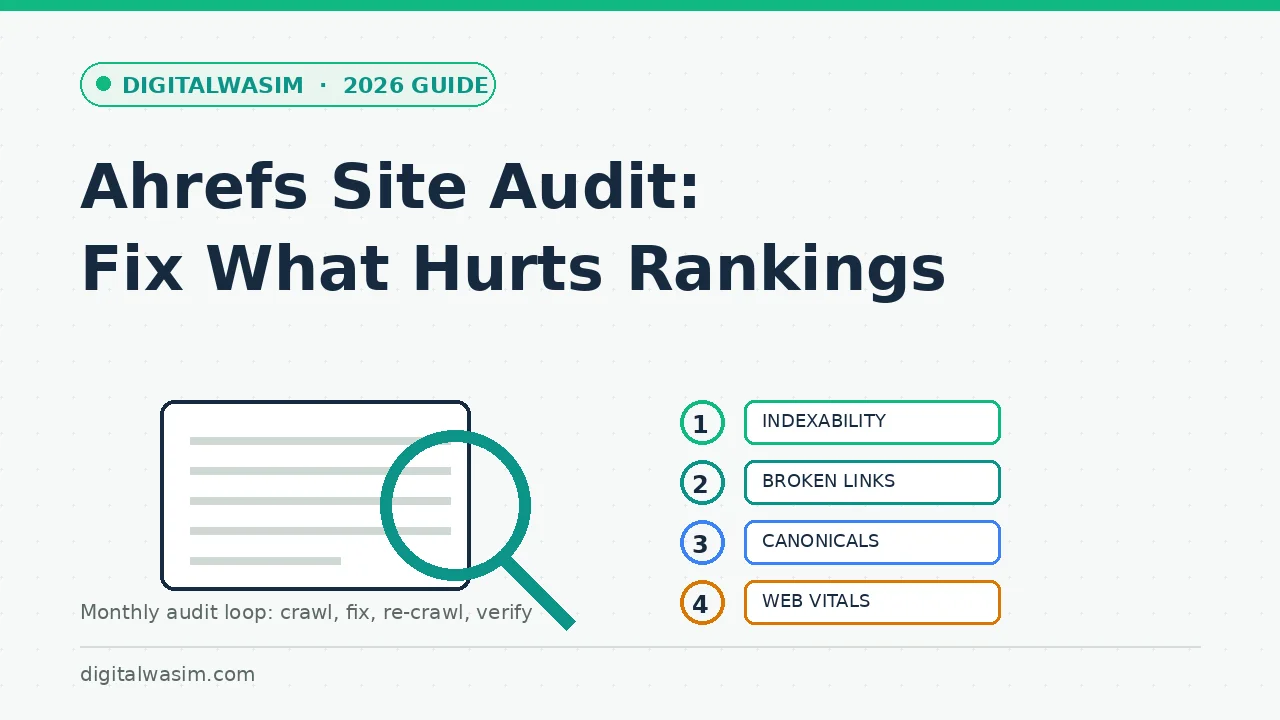
Here is the complete workflow, start to finish, as a single loop. It fits a blog of up to a few hundred posts into one focused afternoon per month, and it scales without changing shape as the site grows. The loop is the product; the tool is just the detector.
- Schedule a monthly crawl and one after any migration, redesign, or plugin overhaul.
- Open the Indexability report first; confirm every money page is crawlable and indexable.
- Clear broken internal links and redirect chains by updating links at their sources.
- Fix canonical and duplicate clusters by consolidating to one canonical home each.
- Reclaim orphaned pages with contextual internal links from strong related posts.
- Triage Core Web Vitals failures: images, scripts, and layout stability, biggest URLs first.
- Push all fixes live, then run a fresh crawl and confirm the error counts actually dropped.
- Log what was fixed and when, so next month's report has context and regressions stand out.
Step seven is the one blogs skip, and it is the one that turns tool output into results. An unverified fix is a guess with good intentions, and the health score exists precisely to close that loop. Watch the error counts per class across months; anything climbing back after you fixed it points to a process problem, like a template regenerating broken links.
Reading the Reports Like an Operator
Reading the report well is a skill separate from fixing it, and three habits cover most of it. First, read distributions before lists: a thousand broken links across three templates is a template bug, while thirty broken links scattered organically are thirty real edits. The tool shows every URL, but the shape of the problem usually lives one level above the individual rows, and fixing at the shape level is ten times faster.
Second, use the health score as a trend, not a grade. A site that moved from eighty-five to ninety-three in a month learned something worth keeping in the log; a site oscillating around ninety-four for a year has plateaued into cosmetic territory. Third, diff crawls against history: Ahrefs keeps prior sessions, so the interesting question after any fix is not how many errors exist today but how many disappeared since last month. Regressions that reappear after a fix point at template or plugin behavior, which is exactly the kind of systemic cause a URL list alone never reveals.
Scaling the Workflow as the Site Grows
As a site grows, the audit workflow grows with it in three predictable ways. Crawl budget: large sites outgrow free-tier allowances and move to paid plans or split projects by subfolder. Scheduling: monthly becomes fortnightly during migrations and quarterly-cadenced routines once stable. And responsibility: solo bloggers do everything, while teams assign issue classes to roles, with developers owning redirects and canonicals while editors own meta and content warnings.
The scaling principle that never changes is fix-first order. A hundred-page blog and a hundred-thousand-page site both start at indexability, both verify with re-crawls, and both resist the temptation to polish cosmetics while plumbing leaks. The tool scales; the discipline is portable. That is the real reason to learn this workflow on a small site, where mistakes are cheap: the habits carry intact to whatever size your publishing becomes.
Traps, False Alarms, and Pairing with Search Console
A few traps deserve names. Do not chase a one-hundred health score; some warnings describe best practices with negligible ranking weight on a small site. Do not bulk-delete flagged thin pages before checking whether they earn traffic or links, because consolidation beats deletion more often than beginners expect. And do not run audits on parameter-swamped URL sets, or you will spend the month reading about pagination variants that were never real pages.
Search Console guide on-page SEO checklist content refresh strategyA site audit is not homework Google grades; it is reconnaissance for your own decisions. Run it monthly, fix in the order that protects crawlability and indexability first, verify with a re-crawl, and let the cosmetic warnings wait their turn. Blogs that build this loop catch problems while they are still cheap, keep more of what they publish indexed, and stop losing rankings to plumbing nobody bothered to check. That is the whole promise of the Ahrefs site audit workflow: not a perfect score, a site that works the way you think it does.